Introduction
I still remember the first blog post I ever published. I hit “publish,” felt very proud of myself, and then waited for the traffic to roll in. Not because the writing was bad. It is because search engines didn’t have any idea the page was about or why they should trust it.
If you’re feeling like you’ve heard this before then you are not alone. Many people can create an excellent article, but they fail to take one crucial step using an On Page SEO Checklist for Beginners.
An On Page SEO Checklist for Beginners will be a helpful guide through the optimization of all the essential aspects of website pages. Such as titles, headings, URLs, pictures, meta descriptions, and internal linking.
What Is On-Page SEO (And Why Should You Care)?
Picture two folders of documents. One is a mess no labels, random order, half the pages upside down. The other has clear tabs, a table of contents, everything where you’d expect it. Which one would you trust more if you needed to find something fast?
That’s on-page SEO checklist in a nutshell. It’s how organized your page is, from a search engine’s point of view. Here’s the part beginners underestimate: great writing alone won’t save a poorly structured page.
You could write something genuinely brilliant, but if the title tag is vague, the headings are chaos, and the page crawls along at eight seconds to load, it’s fighting an uphill battle.
Google keeps saying it wants “helpful, people-first content” and that’s true. But helpful content still needs a skeleton search engines can actually read. The good part? Most of this is a one-time fix per page. Learn the checklist once, and it becomes muscle memory pretty quickly.
Start With Keyword Research
Don’t write a single word until you know what people are actually typing into Google. Skip this step, and you’re basically guessing and guessing is why a lot of pages never rank at all. Keyword research just means figuring out the exact words your audience uses when they’re looking for what you offer.
Free tools like Google Keyword Planner or Google Trends work fine to start on-page-seo checklist. If you want to go deeper, Ahrefs and Semrush show you search volume, difficulty, and related terms people also search for.
A few things worth knowing:
- Stick to one primary keyword per page. Trying to rank for five different terms on the same page just confuses everyone, including Google.
- Look at what related questions people ask around your topic, and weave those in where they fit.
- Think about intent, not just the keyword itself. Someone typing “on-page SEO checklist” wants steps, not a history lecture on search engines.
Once you’ve got your keyword, use it where it makes sense. Don’t cram it in everywhere search engines are shockingly good at spotting that now, and honestly, it just makes your writing worse anyway.
Write SEO-Friendly Titles and Meta Descriptions
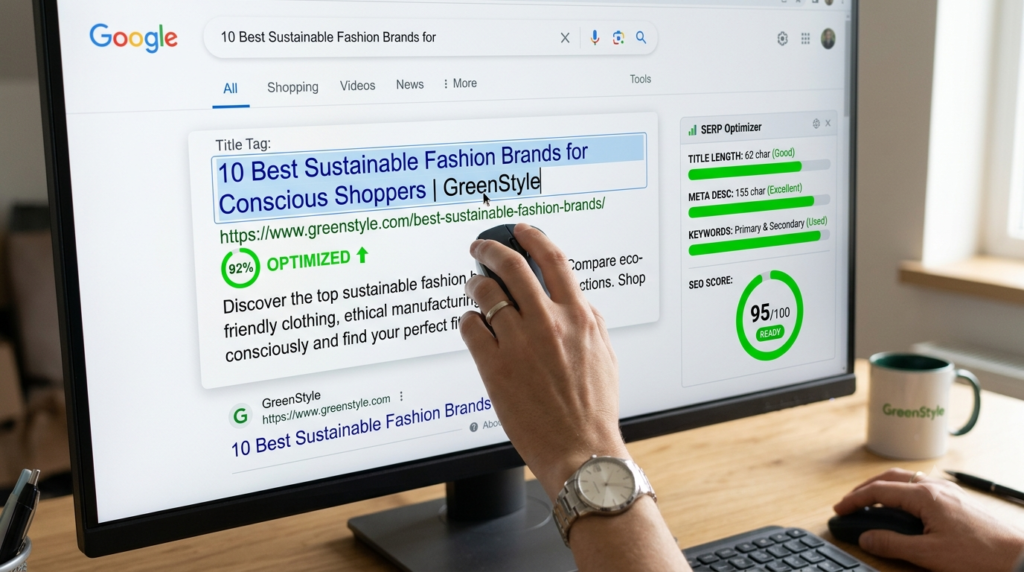
Your title tag is usually the very first thing someone sees in search results, so it’s doing a lot of heavy lifting. Keep it specific, and try to get your main keyword near the front .Google tends to give more weight to words that show up earlier in a title.
Length matters more than people think. Ahrefs looked at nearly a million pages and found titles over 60 characters get rewritten by Google noticeably more often. Etsy ran their own tests across millions of product pages and found something similar. Shorter titles that matched what people were actually searching for got more clicks.
Meta descriptions won’t directly move your ranking, but they absolutely affect whether people click once they see your page in results. Treat it like a tiny ad. Keep it somewhere around 140–160 characters. Make it unique for every page (don’t reuse one across your whole site), and give people a reason to click.
Quick example:
- Weak: “SEO Tips”
- Better: “On-Page SEO Checklist for Beginners: 15 Steps That Work”
See the difference? One tells you nothing. The other tells you exactly what you’re getting.
Clean Up Your URLs
Nobody thinks about URLs until they’re a mess, and by then it’s usually too late to fix without breaking links. Keep it simple: descriptive words, hyphens between them (not underscores that’s still considered sloppy), and cut anything unnecessary. Skip dates too, if you can.
A page called “flower-care-guide” ages a lot better than “flower-care-guide-2026,” which starts looking outdated the moment the year changes. One means nothing to anyone. The other tells you the whole story before you’ve even clicked.
Get Your Heading Structure Right
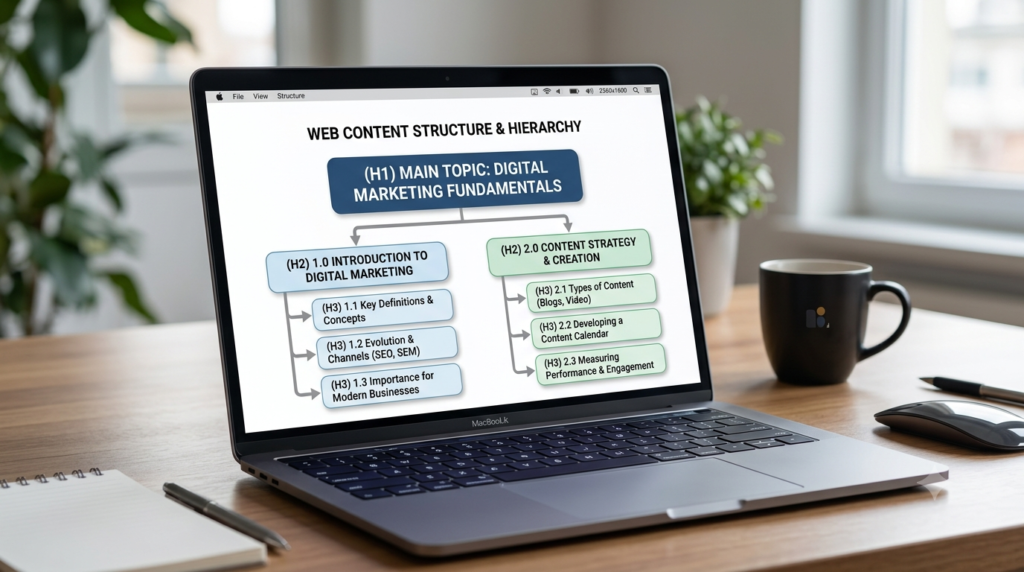
Headings work like signposts they help readers scan the page and skip straight to what they need. They give search engines a rough outline of what’s covered where.
Keep it simple: one H1 per page (your main headline), then H2s and H3s to break things into logical chunks. Each one should actually describe what’s underneath it “More Tips” tells nobody anything useful about on-page-seo checklist.
Now, here’s something that might surprise you: headings aren’t the ranking superpower a lot of old SEO advice makes them out to be. Neil Patel ran controlled tests across multiple sites and found different heading structures made basically no measurable difference to rankings.
Even Google’s own John Mueller has said publicly that a site can rank just fine with zero H1 tags, or five of them. So the real payoff of clean headings isn’t some algorithm trick. It’s that people actually stay on your page longer when they can find what they need, and that helps you indirectly.
Optimize Your Images
Images make a page more engaging, sure, but sloppy ones quietly work against you slowing your load time down and giving search engines nothing to go on.
Here’s what actually matters:
- Rename your files before uploading. “golden-retriever-puppy.jpg” beats “IMG_2931.jpg” every time.
- Write alt text that actually describes what the image is showing, in context. This isn’t just a nice-to-have either Google can use that alt text as anchor text if the image is functioning as a link.
- Compress everything before it goes live. Oversized images are one of the most common reasons a page loads slowly, full stop.
- Where you can, use a format like WebP smaller file size, barely any visible quality loss.
Master Internal and External Linking
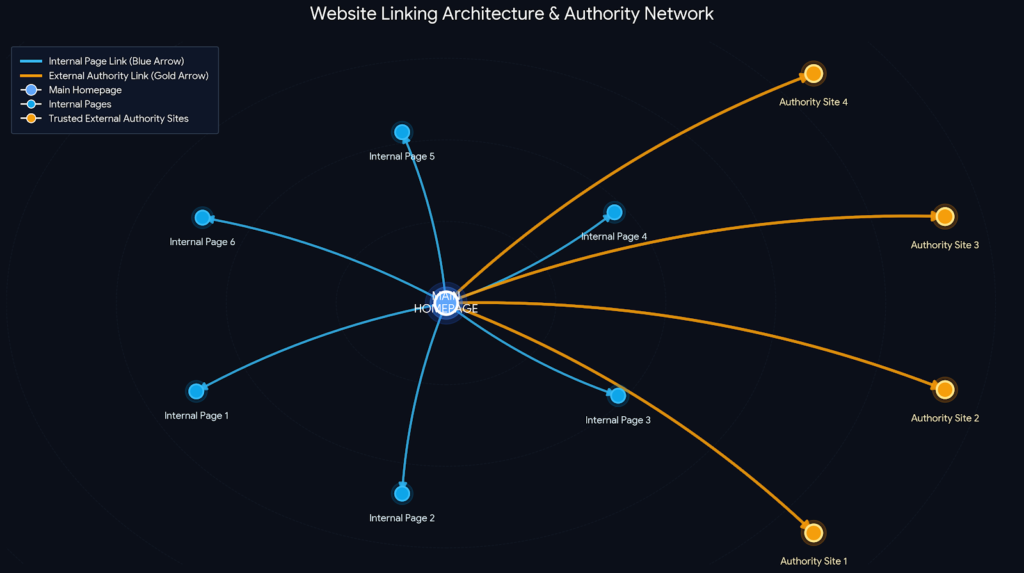
Links do a lot more work than beginners give them credit for. Internal links links to your own other pages. It help search engines discover your content and help visitors find related stuff without hunting for it.
They also spread ranking value from your strongest pages to newer ones that need a boost. Keep it natural: only link where it genuinely fits the sentence. Only link to pages that are actually relevant, and don’t hammer the same link five times in one article.
As a rough guide, somewhere around 3 to 5 internal links per 1,000 words tends to work wellenough to be useful without turning your article into a maze. Don’t skip linking out either. I know it feels backwards to send people away from your own site, but linking to credible, authoritative sources actually builds trust.
There’s a neat experiment an SEO consultant named Shai Aharony ran. A while back he built ten identical websites around a completely made-up term with zero existing search history. Gave five of them outbound links to authoritative sources like Oxford, and left the other five without.
The sites with outbound links behaved noticeably differently. So no, external links aren’t some kind of ranking leak. That fear is mostly outdated.
Don’t Ignore Mobile Friendliness and Page Speed
Chances are, most of your visitors are on their phones right now, reading this on a bus or between meetings. Google evaluates your site with mobile-first indexing, which basically means the mobile version of your page is the one that counts most.
Speed matters more than it sounds like it should. Deloitte and Google once ran a massive study 30.5 million user sessions and found that even a tiny 0.1 second improvement in load time. Produced measurable gains in how people behaved on the page. That’s it. A tenth of a second.
What to actually do: compress your images, ditch bloated page builders and plugins. You don’t need, and run your pages through something like Google PageSpeed Insights every so often just to check.
Write for Humans First (User Experience and Readability)
Keep paragraphs short two to four sentences, honestly. Break up dense sections with bullet points or subheadings or the occasional image. Use plain language, and if you have to use a technical term, explain it the first time so nobody’s left scrambling to Google it mid-sentence.
Here’s a question worth asking about every page before you hit publish: does this actually answer what my reader came here for? If yes, you’re most of the way there already everything else is just polish.
Schema Basics for Beginners
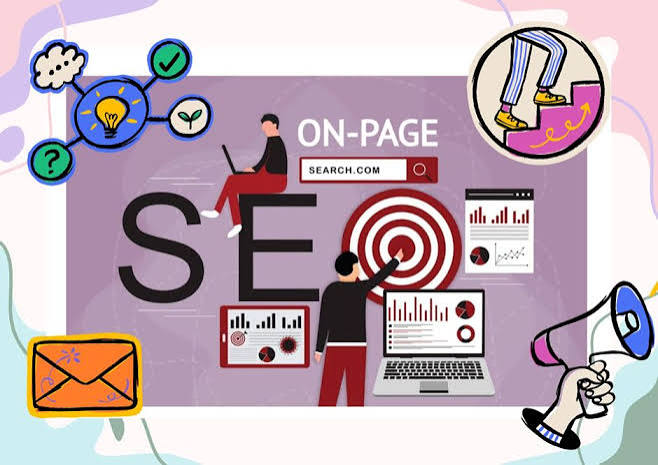
Schema markup sounds intimidating, but it’s really just a bit of extra code that spells out your content. More precisely for search engines like translating your page into a language machines read more literally.
You don’t need to code it by hand. Plugins like Yoast SEO or Rank Math will generate basic schema for you automatically if you’re on WordPress. As a beginner, two types are worth knowing: FAQ schema, which can get your Q&As showing up directly in search results. Article schema, which flags things like author and publish date for search engines.
Aim for Featured Snippets
Featured snippets are those highlighted answer boxes that sometimes sit above the regular search results. Land one, and your visibility jumps even if you’re not technically the #1 ranked result. A few things that help your odds: answer the target question directly and early, near the top of the page.
Use numbered lists or tables for anything step-by-step or comparison-based those formats are easy for Google to lift straight into a snippet. And structure FAQs cleanly, with the question as a heading and the answer sitting right underneath, no fluff in between.
Common On-Page SEO Mistakes to Avoid
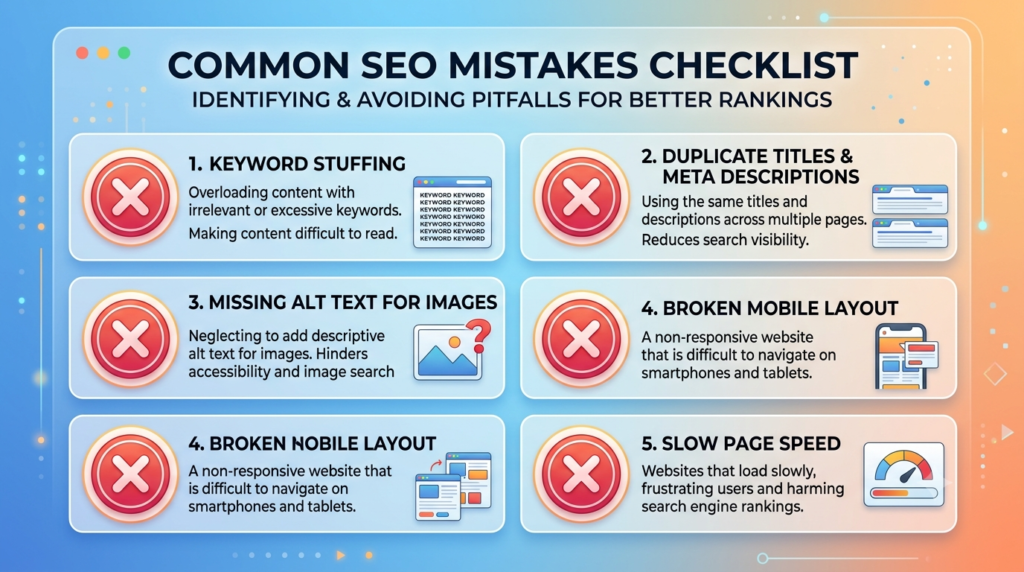
Even well-meaning beginners fall into a few of the same traps, over and over:
- Keyword stuffing. It doesn’t help you rank. It just makes the writing worse and, honestly, a little painful to read.
- Duplicate title tags. Reusing the same title across pages confuses Google about which one should actually rank.
- Ignoring mobile. A page that’s gorgeous on desktop and broken on mobile is going to underperform, no matter how good the content is.
- Skipping alt text. It takes thirty seconds and too many people still skip it.
- Publish and forget. SEO isn’t a one-and-done task. Pages need the occasional refresh to stay accurate and competitive.
Your Beginner On-Page SEO Checklist
Bookmark this. Run through it every time you publish or update a page:
- Picked one clear primary keyword based on real search intent
- Written a specific title tag with the keyword near the front, under 60 characters
- Written a unique meta description with a clear call to action
- Cleaned up the URL slug — short, hyphenated, descriptive
- Used one H1 and a logical H2/H3 structure underneath it
- Given every image a descriptive file name and alt text
- Added a few natural internal links to relevant pages
- Linked out to at least one credible external source
- Checked how the page actually looks and loads on mobile
- Compressed images and tested page speed
- Kept paragraphs short and the page easy to scan
- Added FAQ or Article schema where it makes sense
- Answered the core question clearly, near the top
Real Life Examples
Ahrefs Study – Shorter Title Tags
Ahrefs analyzed nearly one million web pages and found that longer title tags are more likely to be rewritten by Google. Pages with concise and descriptive titles had a better chance of displaying the original title in search results, which can improve click-through rates.
Google & Deloitte Page Speed Study
Google partnered with Deloitte Digital to analyze 30.5 million user sessions. They found that improving page speed by just 0.1 second increased user engagement and conversions across multiple industries.
FAQs
What is on-page SEO in simple terms?
It’s everything you optimize directly on your own pages titles, headings, content, images so search engines understand the page and visitors actually find what they need.
How is on-page SEO different from off-page SEO?
On-page is stuff you control directly on your site. Off-page is external mainly backlinks from other websites and it builds your site’s broader authority and reputation.
Do I need to hire someone to do on-page SEO?
Not really. Most of it clear titles, sensible headings, optimized images is something a beginner can pick up and apply with a checklist like this one. No agency required.
How long before I see results?
It varies a lot, honestly. Some pages show movement in a few weeks, others take a couple of months, depending on competition and how consistently you apply this stuff.
Is keyword stuffing still a problem in 2026?
Yes, still. Search engines catch it easily now, and it makes for a worse reading experience on top of that so it’s a lose-lose.
Conclusion
On-page SEO sounds like a lot when you’re just getting started.It really boils down to a handful of habits repeated consistently: know what your audience is actually searching for. Structure your content so it’s easy to follow, and make sure every technical detail down to the alt text on your images is quietly working in your content’s favor.
You don’t need to fix everything today. Pick one page, run it through the checklist above, and see what’s missing. Then do the next one. Small, consistent fixes like this add up faster than most beginners expect.
Leave a Reply